Resource centre - Ideas and techniques - Using DVD and video
Have you ever wondered how to use movies in your ESL classes, without just sitting your students down in front of the screen, hitting "Play" and sitting back to watch (which, let's face it, they could do at home)? Here are a few ideas to get you started, using very short extracts from movies to present and practise new language, and develop communicative skills...
1 No picture
Choose a short video extract (2 or 3 minutes) with a lot of sound effects. Play
it with the screen turned away from the students, or cover the screen. If two of
the sound effects are birds singing and a baby crying, your linguistic focus
(either as presentation or practice) could be:
Present continuous: Some birds are singing / A baby is crying
Past simple: Some birds sang / A baby cried
Past continuous: Some birds were singing / A baby was crying
Making deductions: It must / might / can't be birds singing or
It must / might / can't have been birds singing
After playing, elicit the language from your students, then show them the
extract with the picture and sound.
2 No sound
Show a short extract (again, 2 or 3 minutes is enough) with a lot going on, or
where characters convey a lot of emotion in their expressions, without sound.
Students can then do many things without having to worry about understanding
dialogue.
They can describe what happened using narrative tenses; describe the scene;
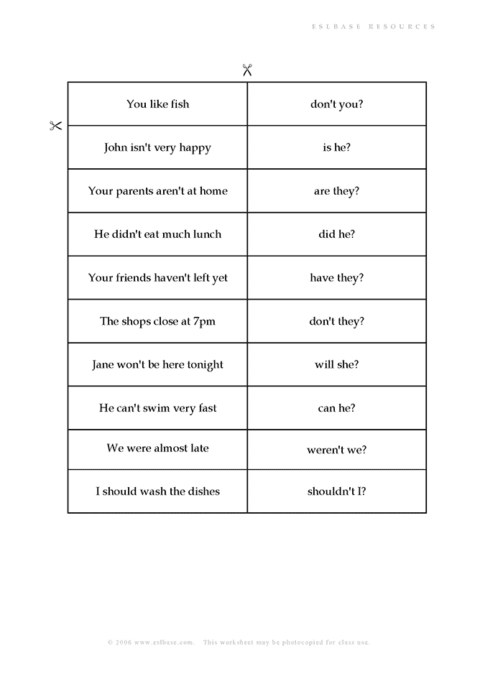
anticipate dialogue or reactions; arrange the cut up dialogue which you have
given them.
Finally, play the extract again with sound, and your students will be able to
fit what they hear into a context much more effectively than viewing the extract
cold.
3 Jigsaw viewing
You may have done jigsaw reading activities in your class, where students have
half the information and have to share what they have read to recreate the whole
story. You can also do this with short video sequences:
Half the class watches with no picture, then the other half with no sound
(you'll have to take half the students out of the class in each case). In pairs
they question each other to recreate the scene.
Half the class have picture and sound, the other half just sound. You can do
this by sitting students in two rows, back to back, so that only one row can see
the screen. The half who only had sound question the other half.
One student listens with headphones, the others view without sound. The student
with headphones questions the others.
4 Backwards viewing
Choose a short sequence with a lot of action. For example, a woman enters an
apartment, picks up the telephone, speaks, looks terrified, runs out of her
apartment and down the stairs, and runs off down the street. Movies are a good
source for this sort of material. Play the sequence backwards to the students,
then have the students reconstruct the story in chronological order, using
narrative tenses, or future tenses, or whatever you want the linguistic focus to
be. Play the sequence normally so students can compare it with their version.
5 Freeze frame
Do you use pictures in your classroom for introducing new vocabulary, describing
people and scenes? You can add a new dimension to this with the freeze frame
button of your video or DVD player. Hit freeze frame when a character has an
interesting expression on his / her face, is about to react to something or
answer a question, or when there is a lot of colourful new vocabulary on the
screen! Have students describe the character/scene, or anticipate what the
character will say or do next. Release freeze frame to compare with what
actually happens.
Video is a motivating and effective way to bring variety in to your ESL classes.
Using short, sharp sequences with a clear linguistic focus, your students will
go away from your class with more than if you sit them down in front of the
screen and hit "play"!
Using video and DVD part 2
ESL resources
Downloadable classroom activities
What do you think of this article? Add a comment »
Great article... I found
new ideas for teaching there, although there are many other ways to use DVD in a
classroom
Really good, keep giving us
more ideas for video use in classroom.
You have just given me a
great idea to apply in my class tomorrow. Thanks.
Thanks a lot, I was
seriously running out of ideas and this article just gave me some more.
I am not used to using
technology in my class. I am learning how to use it effectively. You have just
given me a very precious lesson. Thanks a lot.
I finally found someone who
thinks that movies are a great source for students. I used movies a lot, but my
colleagues, even the directors, criticized me for it. I brought them this
article. Thank you.
Great article, a lot of
fresh ideas on how to use video and DVD. Thanks a lot"
I think this is a very
interesting article. What the author is telling us is it's possible and
effective to make good use of this kind of material. I would appreciate if I can
send this article to some of my colleagues and other friends who are teaching
English as a foreign language... I'm very happy to read this and other articles
you are sharing with us that are so necessary and reliable in the English
teaching / learning process. Thanks a lot!
Wow, great ideas, and
creative! Thanks for sharing =)
h
The techniques remind me of
Krashen and Tirrel's Natural Approach. Applying them in my classrooms will
really contribute to the students learning since images avoid any kind of
affective filter. Thanks for your help.
Thank you very much! Some
great ideas...I think I will try every single one at least once! Thanks.
All your tips are
enormously helpful, thanks a lot for sharing and please keep doing so. I'll let
you know how I did in my classrooms after trying some of these activities!
Thanks... more fantastic
ideas :) ... will try some of them out with my classes.
It's a good idea, thanks
for sharing. What I have done is to choose a suitable movie (DVD) which is
relevant to the topic we are discussing... students watch the movie, and after I
give them a lot of questions dealing with the characters seen in the movie which
can be for oral, writing, expression purposes...
Great ideas. My classroom
has a lot of technology and I'm always looking for ways to utilize it better.
Thanks!